Cracked Phone Screen: Repair or Replace? Everything You Need to Know
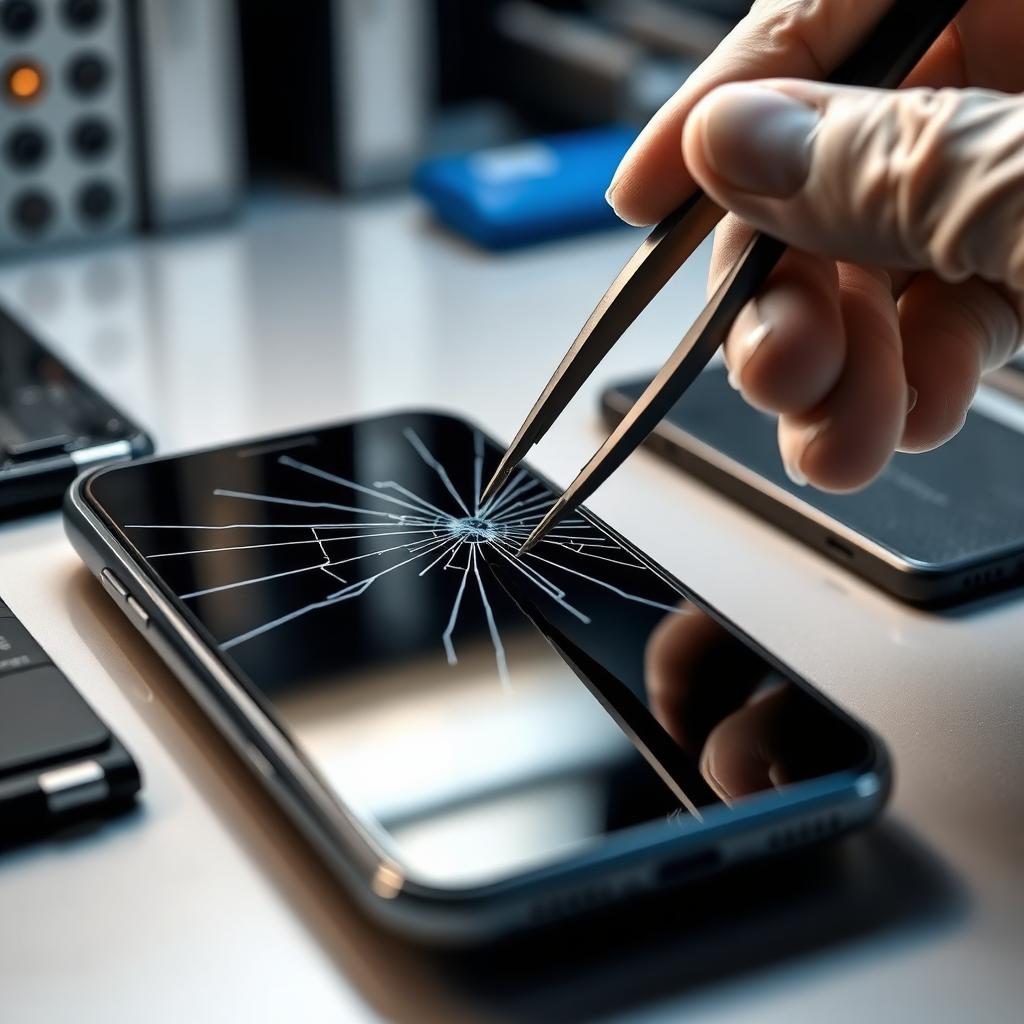
A cracked phone screen is one of the most common — and most stressful — problems smartphone owners face. One accidental drop and suddenly your daily driver looks like a spider web. The big question that follows is almost always the same: should you repair the screen, replace the whole display, or just live with the damage?
At iFixPro Belagavi, we see cracked screens every single day — iPhones, Samsung Galaxy flagships, OnePlus, Pixel, Xiaomi, Oppo, Vivo and Motorola. This complete guide walks you through the different types of screen damage, the real risks of ignoring them, when a full replacement is unavoidable, and how to make an informed decision that saves money and protects your data.
1.The Different Types Of Screen Damage
Not every cracked screen is the same, and the right fix depends on the exact type of damage. Before you decide anything, take a close look at your phone in good light.
- Hairline surface cracks on the outer glass only
- A single deep crack running edge to edge
- Fully shattered glass with sharp shards lifting up
- Spider-web cracks radiating from an impact point
- Cracks combined with dead touch zones
- Cracks combined with display issues (lines, black spots, discoloration)
- Internal LCD/OLED damage with no visible outer crack
- Bent or lifted display from a hard fall
Each of these categories has a very different repair path — and a very different price tag.
2.Hairline Cracks Vs Shattered Glass
Hairline cracks are the least severe. The touch usually still works, the display still lights up correctly, and the phone is technically usable. It is tempting to leave it alone. Do not.
Even a hairline crack breaks the waterproof seal on modern phones like iPhone 13/14/15/16/17, Samsung S22–S25, Pixel 8/9 and OnePlus 12/13. Dust, sweat and humidity begin creeping under the glass within days. Within weeks the crack widens on its own from normal thermal expansion.
Shattered glass is a different story entirely. Sharp shards can cut your fingers, ruin your screen protector, and — most importantly — start pushing down on the OLED panel underneath. Once that happens, a cheap glass-only fix is no longer possible and you are looking at a full display replacement.
3.Touchscreen Not Responding
If parts of your screen have gone unresponsive after a fall, the digitizer layer is damaged. On older phones the digitizer sat on top of the LCD and could sometimes be replaced separately. On every modern smartphone — iPhone 8 and newer, Samsung S8 and newer, OnePlus 6 and newer — the digitizer, OLED and glass are fused into a single unit.
That means a dead touch zone almost always requires a full display assembly replacement. Continuing to use a phone with partial touch failure is risky: you may not be able to answer calls, enter your passcode, or accept an OTP during a payment.
4.Display Showing Lines Or Black Spots
Vertical or horizontal lines, expanding black blotches, purple bruise-like patches, or a growing dark shadow all point to the same thing — the OLED or LCD panel underneath the glass is bleeding.
This kind of damage always spreads. A small black spot today becomes half the screen within a week or two, because the liquid crystal or OLED substrate is leaking through microscopic ruptures. There is no software fix, no home remedy, and no "wait and see" that ends well. The panel needs replacement before the damaged area covers critical UI elements like the fingerprint sensor area, keyboard or camera controls.
5.Flickering Screens
A flickering display after a drop usually means the display flex cable inside the phone has partially disconnected or torn. Sometimes the flicker is intermittent and only appears at low brightness or during charging. Do not ignore it.
A partially seated flex cable can short against the motherboard and damage the display IC — a small chip that controls the entire screen. Once the display IC dies, your repair cost jumps from a straightforward screen replacement to a motherboard-level repair.
6.LCD Vs OLED Damage
Understanding what kind of panel your phone uses helps you understand the repair cost.
- LCD panels (older iPhones like iPhone 11, Xiaomi Redmi budget series, some Vivo and Oppo models) are cheaper to replace but more prone to backlight bleed and dead pixels after damage.
- OLED and AMOLED panels (iPhone 12 and newer, all Samsung Galaxy S and Note, Pixel 6 and newer, OnePlus 7 Pro and newer, high-end Xiaomi, Oppo Find, Vivo X series) are more expensive because the pixels themselves emit light. A single cracked OLED cannot be "polished" or repaired — it must be replaced.
At iFixPro Belagavi we stock both original and high-grade compatible OLED assemblies for every major brand, so you get a genuine visual experience without the flagship-service-centre price tag.
7. CAN YOU CONTINUE USING A CRACKED PHONE?
Technically yes. Practically, you shouldn't. Here is what actually happens when you keep using a cracked phone for weeks or months:
- Tiny glass shards embed in your fingertip and ear
- Face ID, front camera and proximity sensor accuracy drops
- Water resistance is completely gone
- Battery starts swelling faster because of moisture ingress
- The crack expands under normal daily pressure until touch fails
- Resale value drops by 40–60 percent
A repair that would have cost ₹2,000–₹4,000 as a glass-only fix often turns into a ₹6,000–₹15,000 full-assembly job simply because the owner waited too long.
8.Risks Of Ignoring Screen Damage
Beyond the cosmetic issues, ignoring a cracked screen carries real technical risks:
- Moisture reaching the logic board and corroding contacts
- Short circuits that kill the charging IC or battery
- OLED burn-through spreading across the panel
- Sensor misalignment causing auto-brightness and Face ID failures
- Touch ghosting that dials random numbers or opens apps on its own
- Total display failure at the worst possible moment
If you have already spotted any of the warning signs from our earlier guide — see /blog/10-signs-your-phone-needs-professional-repair — a cracked screen accelerates every single one of them.
9.The Cost Of Delaying Repairs
Delaying a screen repair is one of the most expensive decisions a smartphone owner can make. Here is the typical progression we see at our Belagavi workshop:
- Week 1: hairline crack, glass-only repair possible (lowest cost)
- Week 2–4: crack widens, moisture enters, glass-only no longer safe
- Month 2: touch dead zones appear, full display assembly needed
- Month 3+: display IC damaged, motherboard repair added
- Month 6+: battery swelling forces battery replacement too
The same phone that could have been fixed for ₹2,500 in week one often costs ₹9,000–₹12,000 by month three. Check current, transparent rates on our Pricing page before deciding.
10.When A Screen Replacement Is Necessary
A full screen (display assembly) replacement is unavoidable when:
- The OLED shows lines, black spots or discoloration
- Any part of the touch has stopped responding
- The display flickers or dims randomly
- The glass is shattered deep enough that shards lift
- The phone was submerged after the crack appeared
- Face ID, fingerprint under-display or proximity sensor has failed
If any one of these applies to your device, book a free diagnostic at Book Repair and we will confirm exactly what needs to happen — with no pressure to upgrade the fix.
11.Why Diy Screen Replacement Often Fails
We love the DIY spirit, but modern smartphone displays are unforgiving. Here is why most home repairs go wrong:
- Adhesive on iPhone and Samsung displays needs 70–80°C controlled heat
- OLED panels crack under 2–3 kg of uneven pressure — normal for hand pressure
- Face ID and Touch ID components must be transferred with anti-static precautions
- Waterproof gaskets are single-use and rarely included in kits
- True Tone, auto-brightness and refresh rate calibration require paid software
- One wrong flex cable pull kills the entire motherboard
We regularly see phones brought in for a "second opinion" after a failed DIY attempt — and the repair bill is almost always higher than if the customer had come to us first.
12.Benefits Of Professional Repair
Choosing a professional Screen Replacement Belagavi service like iFixPro gives you:
- Genuine or Grade-A OLED/LCD panels with color calibration
- Original adhesive and waterproof gaskets reinstalled
- True Tone, auto-brightness and refresh rate fully functional
- Face ID, fingerprint and proximity sensor transferred safely
- Up to 6-month warranty on parts and workmanship
- Free diagnostic before any work begins
- Same-day turnaround on most iPhone Screen Replacement and Samsung Screen Replacement jobs
- Transparent pricing you can verify on Pricing
You can track your repair in real time on Track Repair — from the moment your phone enters our workshop to the final quality-check photo.
13.Device-Specific Notes
- iPhone: iPhone 11 uses LCD, iPhone 12 and newer use OLED. True Tone must be re-programmed after replacement — a step cheap shops skip.
- Samsung Galaxy: S and Note series use AMOLED fused with the frame. On S22 Ultra and newer, the frame often has to be swapped along with the display.
- Google Pixel: Pixel 6, 7, 8 and 9 have fingerprint sensors bonded to the display — sensor recalibration is mandatory.
- OnePlus: 120Hz LTPO panels on 11, 12 and 13 need a full display IC reset after swap.
- Xiaomi: Redmi budget series often has LCDs that are affordable to replace; Mi and 14/15 flagships use premium OLEDs.
- Oppo and Vivo: mid-range models mostly use AMOLED; genuine parts availability varies, and we source only high-grade compatibles when originals are on backorder.
- Motorola: Edge series uses curved OLED; standard G series uses flat LCD/OLED with easier replacements.
14.How To Protect Your Screen After Repair
Once your phone is back in your hands, protect the investment:
- Fit a tempered glass protector within 24 hours (we install one free with every screen replacement)
- Use a shock-absorbing case with a raised lip around the screen
- Avoid placing the phone face-down on textured surfaces
- Never keep the phone in the same pocket as keys or coins
- Wipe with a microfibre cloth, never paper tissue
- Keep away from direct sunlight above 45°C for long periods
Frequently Asked Questions
Q: Can a cracked phone screen get worse over time? A: Yes. Cracks always spread because of daily thermal expansion, hand pressure and moisture ingress. A single hairline crack usually widens into multiple cracks within two to four weeks.
Q: How long does a screen replacement take at iFixPro Belagavi? A: Most iPhone, Samsung, OnePlus and Pixel screen replacements are completed in 45 to 90 minutes. Complex curved OLED assemblies may take up to 3 hours. You can wait in our lounge or track progress on Track Repair.
Q: Will I lose my data during a screen replacement? A: No. A screen replacement does not touch your storage. All your photos, apps, chats and settings stay exactly as they were. We still recommend a quick backup before any repair — it takes five minutes.
Q: Is screen replacement worth it, or should I just buy a new phone? A: If your phone is less than three years old and everything else works, a screen replacement is almost always the better value. A ₹4,000–₹9,000 repair on a phone you love beats a ₹60,000+ new device.
Q: Can only the outer glass be replaced without changing the OLED? A: Only if the OLED and touch are 100 percent intact and there are no dead pixels, lines or touch issues. On modern fused displays, glass-only repair also requires specialised laser-separation equipment that many local shops do not have. We assess this honestly during the free diagnostic.
Q: Are third-party screens as good as originals? A: Genuine OEM screens are always the best choice and we recommend them for flagships. High-grade compatible OLEDs from trusted suppliers come very close in colour accuracy and touch response, at 30–50 percent lower cost. We tell you exactly what is going into your phone before we install it.
Q: Does screen replacement affect the waterproof rating? A: Yes, unless the original waterproof adhesive gaskets are reinstalled correctly. At iFixPro Belagavi we replace the gasket on every IP-rated device, so your phone regains its splash resistance — though we never recommend deliberately submerging a repaired phone.
Q: Will Face ID or fingerprint still work after replacement? A: Yes, when done professionally. Face ID components and under-display fingerprint sensors are carefully transferred from your original display and recalibrated. DIY replacements almost always break this.
Q: How much does screen replacement cost in Belagavi? A: It depends on the brand, model and panel type. Budget Xiaomi and Redmi LCDs start around ₹1,500. iPhone and Samsung flagship OLEDs range between ₹6,000 and ₹15,000. See live prices for your exact model on Pricing.
Q: Do you offer a warranty on screen replacement? A: Yes. Every screen replacement at iFixPro Belagavi comes with up to a 6-month warranty on parts and workmanship, covering manufacturing defects, touch failure and display abnormalities under normal use.
Book A Professional Screen Replacement With iFixPro
Don't let a small crack turn into an expensive motherboard repair. iFixPro Belagavi offers same-day Screen Replacement Belagavi service for iPhone, Samsung, OnePlus, Pixel, Xiaomi, Oppo, Vivo and Motorola — with genuine or Grade-A OLED panels, up to 6-month warranty, and completely transparent pricing.
- Book online in 60 seconds at Book Repair
- Check exact prices on Pricing
- Track your repair live at Track Repair
- Talk to a technician via Contact
- Read next: /blog/10-signs-your-phone-needs-professional-repair and /blog/why-your-phone-battery-drains-fast-and-how-to-fix-it
Your screen is your window to everything. Fix it right, fix it once — with iFixPro Belagavi.